
Features
Syluxium is a Linux-based operating system with its own desktop, apps and tools. The Linux-based version is in beta: tested in virtual machines, with testing on real PCs under way.
The foundation
Section titled “The foundation”- Linux kernel 6.12 from Debian trixie, with Debian’s user space: about 70,000 packages run as they are.
- Boot: Syluxium’s own graphical boot picker and splash, and a live USB stick that boots straight into the desktop and writes a log folder for every computer it starts on.
- Recovery and safe mode entries for when something goes wrong.
Hardware
Section titled “Hardware”Linux’s own drivers, plus Debian’s firmware packages for Wi-Fi, Bluetooth, laptop audio and graphics cards:
- Graphics: AMD (amdgpu, with hardware video decoding), Intel (i915) and NVIDIA (NVIDIA’s own driver, or nouveau for older cards) load on every boot; virtio-gpu with 3D acceleration in virtual machines. A safe mode without GPU drivers is there for display problems.
- Wi-Fi and Bluetooth: broad support through Linux’s drivers and firmware.
- Sound: HD Audio, USB audio and laptop audio chips.
- Input: keyboards, mice and touchpads are plug and play.
- Storage: SATA, NVMe and USB drives; USB drives mount automatically, with an AutoPlay prompt.
See Hardware & drivers for details.
The Dusk desktop
Section titled “The Dusk desktop”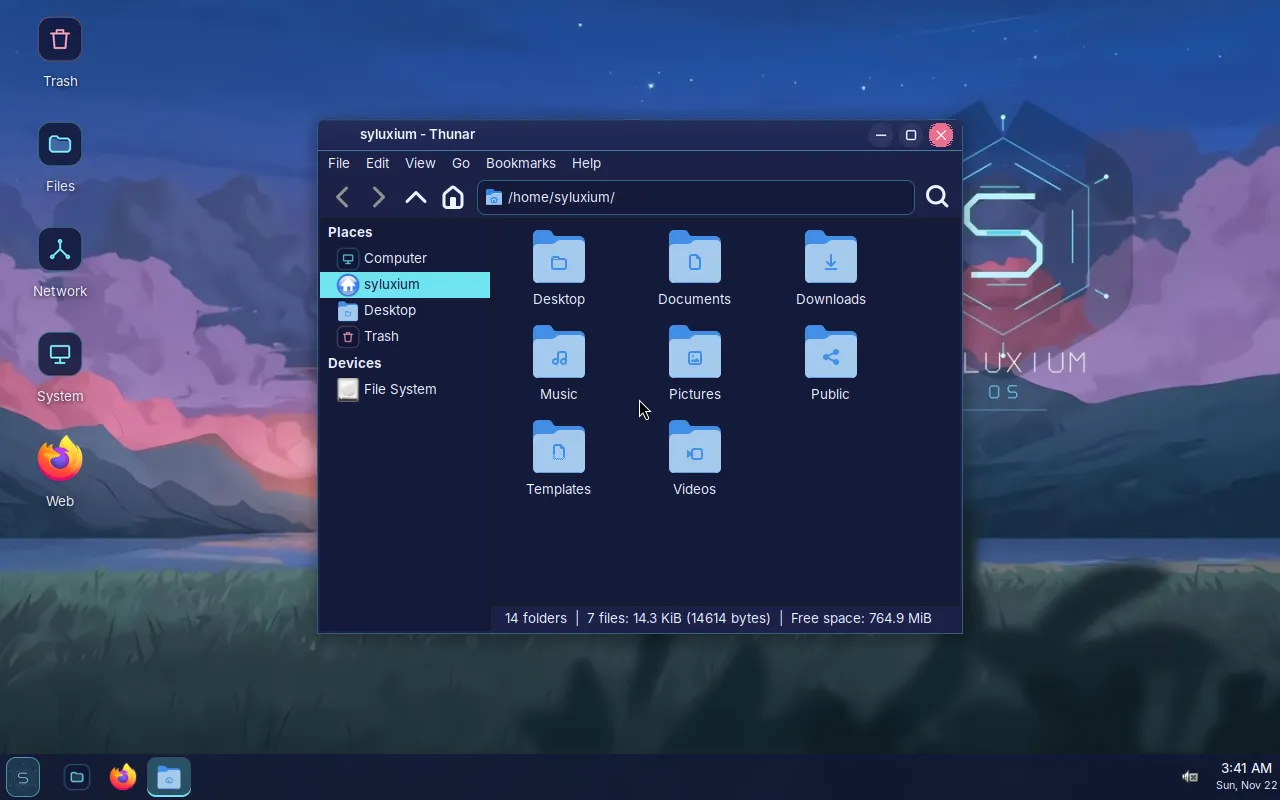
Syluxium’s own Dusk look (deep navy, the logo’s cyan, glass panels) on the Xfce desktop:
- A see-through glass taskbar with the hex-logo start menu, pinned apps, a window list, tray and clock.
- Rounded window frames with real transparency and shadows, adjustable live from Personalize.
- A polished login screen, graphical boot picker and boot splash.
- Scaling from 100 to 300 %, input methods for Chinese, Japanese and Korean, notification bubbles.
- Wayland programs open as ordinary windows in the desktop, and a native Wayland shell (Wayfire with blur and a glass panel) is available as a preview.
- Syluxium Classic (Trinity) remains selectable at the login screen.
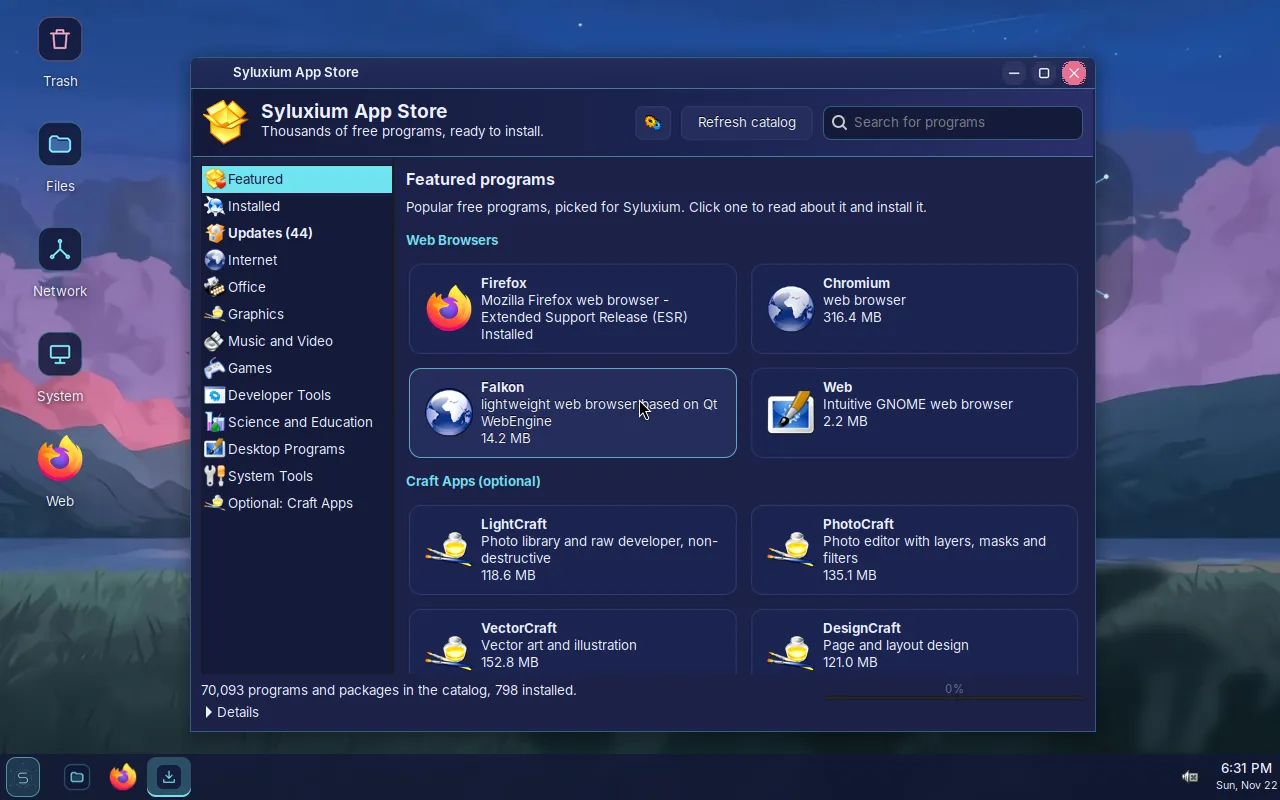
- App Store: about 70,000 Debian packages by category, featured programs, updates and software
sources. Double-click a
.debto install it. - Android apps (early preview): Android apps open as desktop windows through Waydroid;
.apkfiles and F-Droid’s catalogue (preview). - Firefox preinstalled as the default browser.
- Windows programs through Wine: double-click an
.exe. - AppImages run with a double-click.
- Accessories in Dusk: Files, Terminal, Code Editor, WordPad, Paint, Calculator, Character Map, Snipping Tool, Notepad, Media Player, Magnifier and On-Screen Keyboard.
System tools
Section titled “System tools”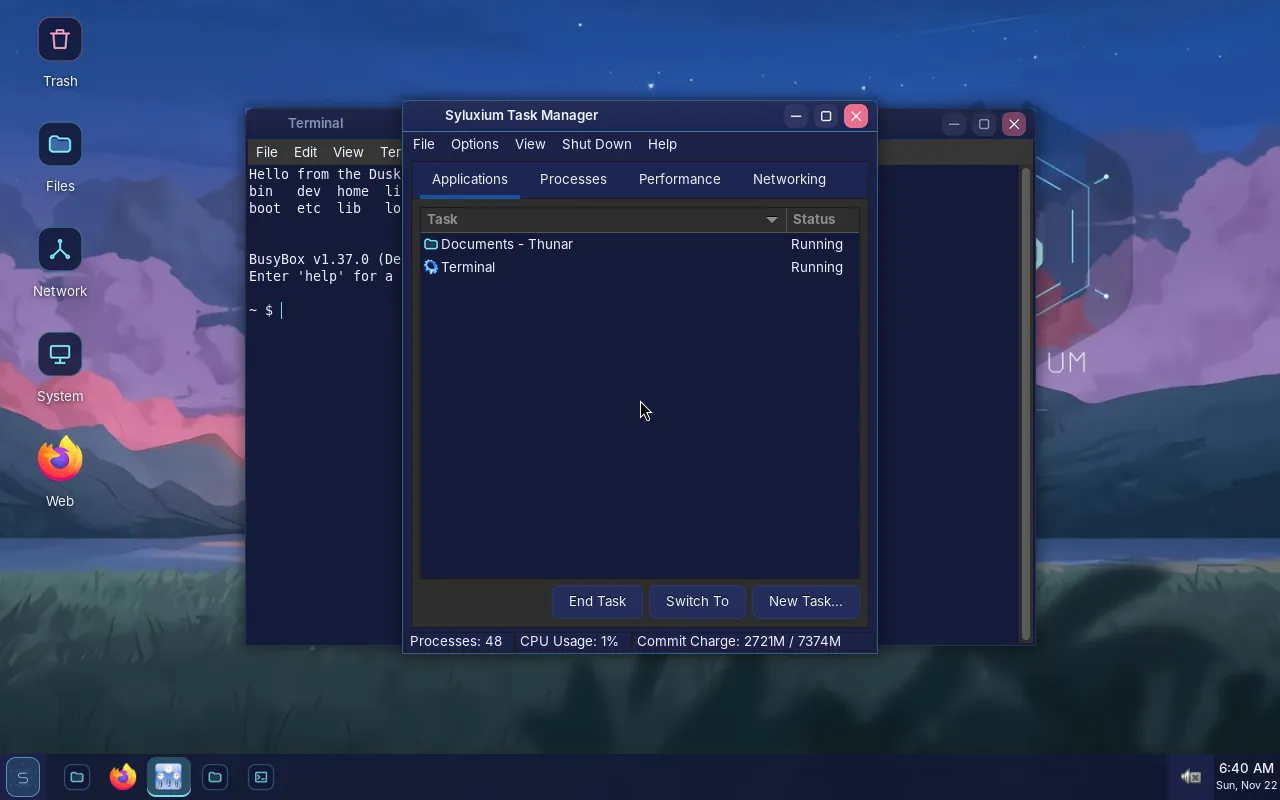
- Task Manager (Ctrl+Shift+Esc): applications, processes, performance and networking graphs.
- Device Manager, Computer Management (Event Viewer, Services, Local Users) and Disk Management with partitioning and formatting.
- Network Connections, a Wi-Fi chooser, Printers with automatic network printer discovery.
- Image Writer for USB sticks and SD cards, User Accounts, Syluxium Update and a Recovery boot entry.
Curious about what’s done and what’s still in progress? See the status checklist.
© 2026 Syluxium Industries LLC · Founded in 2023