Packages
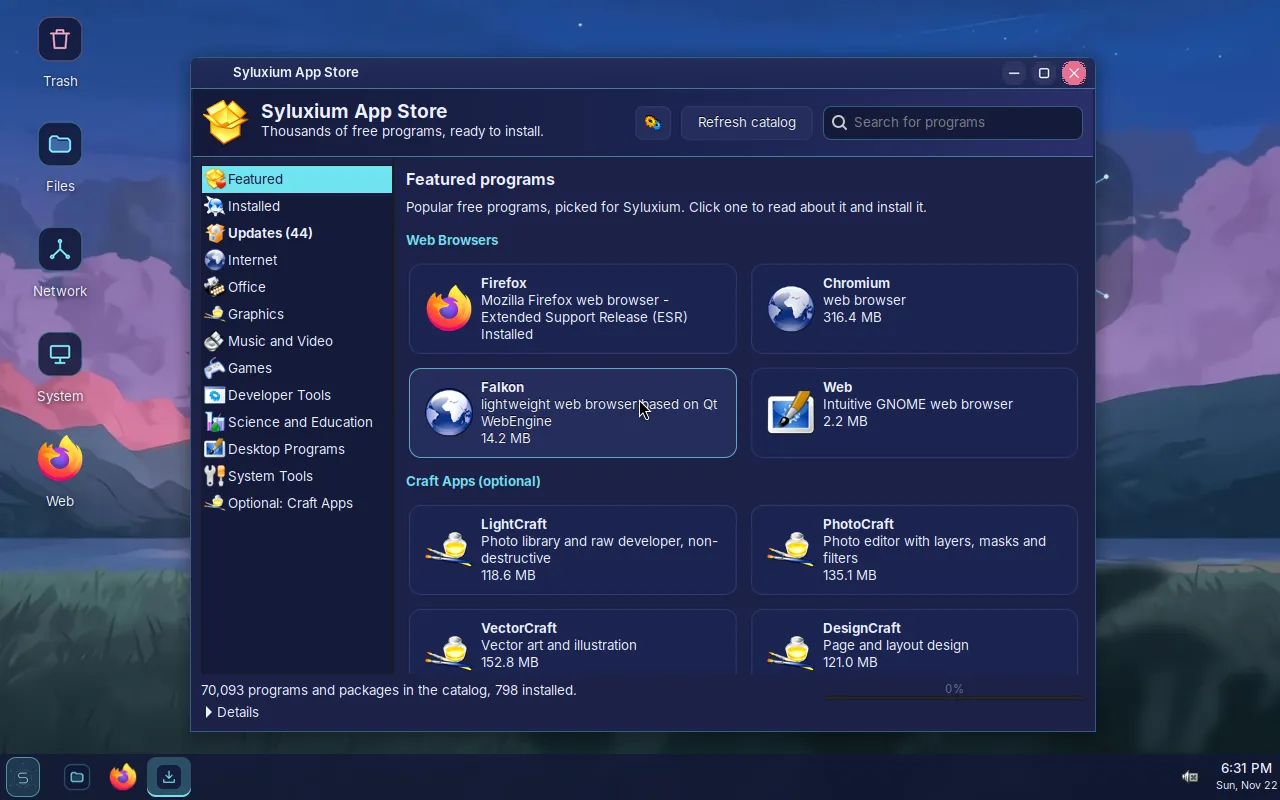
Syluxium runs Linux programs unmodified, so it can use the software of the Debian project: about
70,000 packages, from web browsers and office suites to programming tools and games. You install
them from the App Store, by double-clicking a .deb file, or with apt in the Terminal.
Where packages come from
Section titled “Where packages come from”| Source | What it offers | Status |
|---|---|---|
| Debian (trixie) | The whole Debian archive: about 70,000 packages | Available |
| Syluxium | Syluxium’s own system tools, theme and apps | Built in |
| Craft apps | LightCraft, PhotoCraft, VectorCraft, FilmCraft and more, from their makers’ releases | Optional |
| Your own repositories | Any apt repository, added with its signing key in App Store → Settings | Available |
| AppImages | Single-file Linux apps from any website | Double-click to run |
| Windows programs | .exe files through Wine |
Double-click to run |
| F-Droid | Open-source Android apps | Preview |
Preinstalled
Section titled “Preinstalled”Firefox, Files, Terminal, Code Editor, WordPad, Paint, Calculator, Character Map, Snipping Tool, Notepad, Media Player, E-mail, Magnifier, On-Screen Keyboard, Image Writer, and Syluxium’s system tools (Task Manager, Device Manager, Computer Management, Disk Management, Network Connections, Printers, Syluxium Update).
Find a package
Section titled “Find a package”Search Debian’s archive to see whether a program is available and which version you’ll get. Anything listed for trixie on amd64 can be installed on Syluxium.
© 2026 Syluxium Industries LLC · Founded in 2023